It all started with a gust of wind.
I have a Pergolux bioclimatic pergola — one of those with adjustable louvers that open and close to manage sun and rain. The motor is controlled by a 433MHz remote. No app. No API. No home automation integration. Just four buttons on a plastic remote.
The problem is that when a strong gust hits with the slats open, they rattle and take mechanical stress. Ideally, a system would monitor the weather and close the slats automatically. But Pergolux offers nothing of the sort — the system is designed to be manual. So I decided to build one myself.
“I have a pergola with motorized slats, the remote is 433mhz. I want to build a system that closes the slats automatically when it’s windy. what do I need?”
Figuring out what I’m dealing with
The first challenge was figuring out what protocol the remote used. There was no documentation, no model written on the pergola. I flipped the remote over, photographed the label on the back, and that’s where the investigation began.
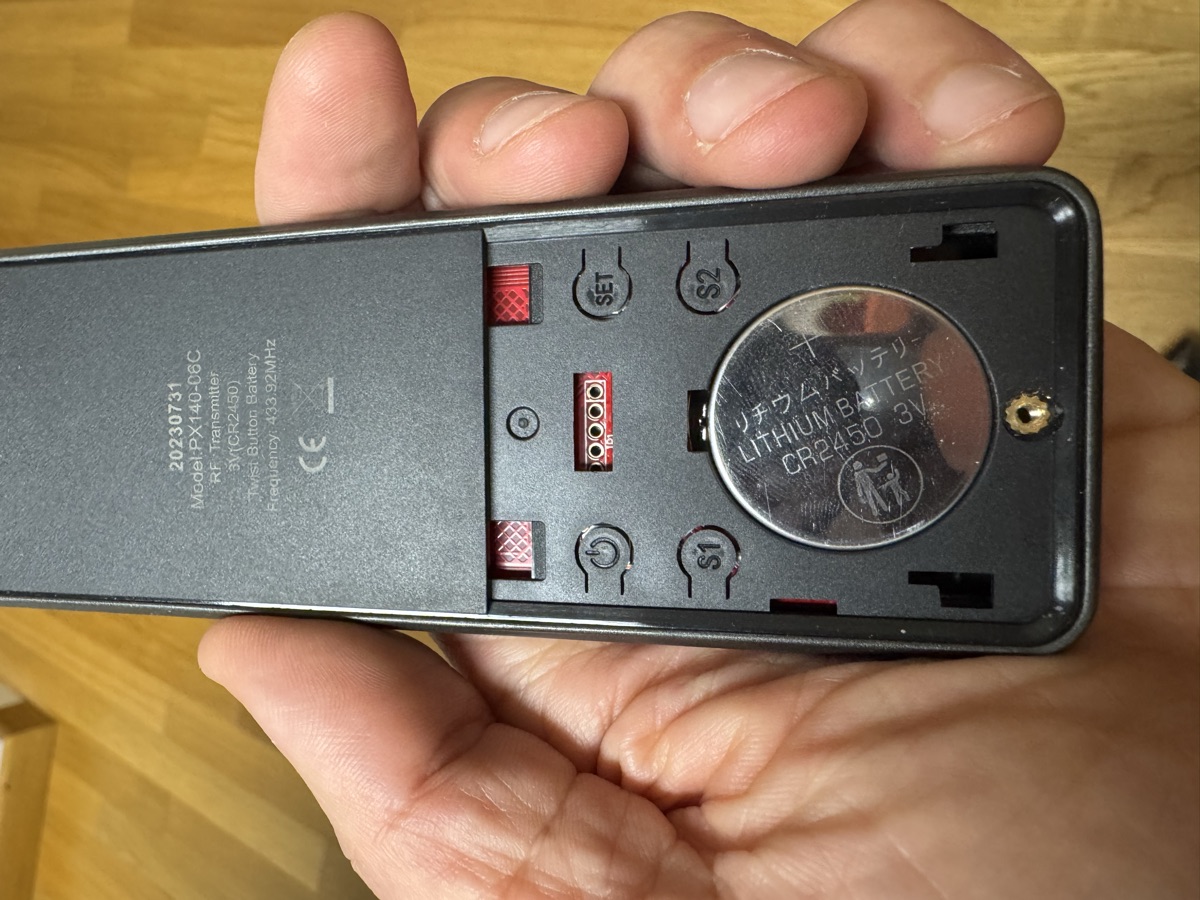
The label said PX140-D&C and a frequency: 433.92MHz. I searched everywhere — Google, FCC databases, home automation forums. Nothing. The PX140-D&C is a Chinese white-label OEM product, practically invisible on the internet. No datasheet, no public documentation. It took several attempts cross-referencing the model with the brand printed in small text — A-OK Technology — and searching through Chinese B2B catalogs to start understanding what I was dealing with.
“I’m sending you the photo of the back of the remote, tell me everything you can find about this model and how it communicates with the motor”
Once I confirmed it was a 433MHz protocol, the hardware choice was almost inevitable: an ESP32 DevKit v1 because I needed a microcontroller with built-in WiFi — the system had to connect to the internet for weather APIs — and a CC1101 radio module with SMA antenna, one of the few chips capable of both receiving and transmitting at 433.92MHz with precise modulation control. About 15-20 euros total.
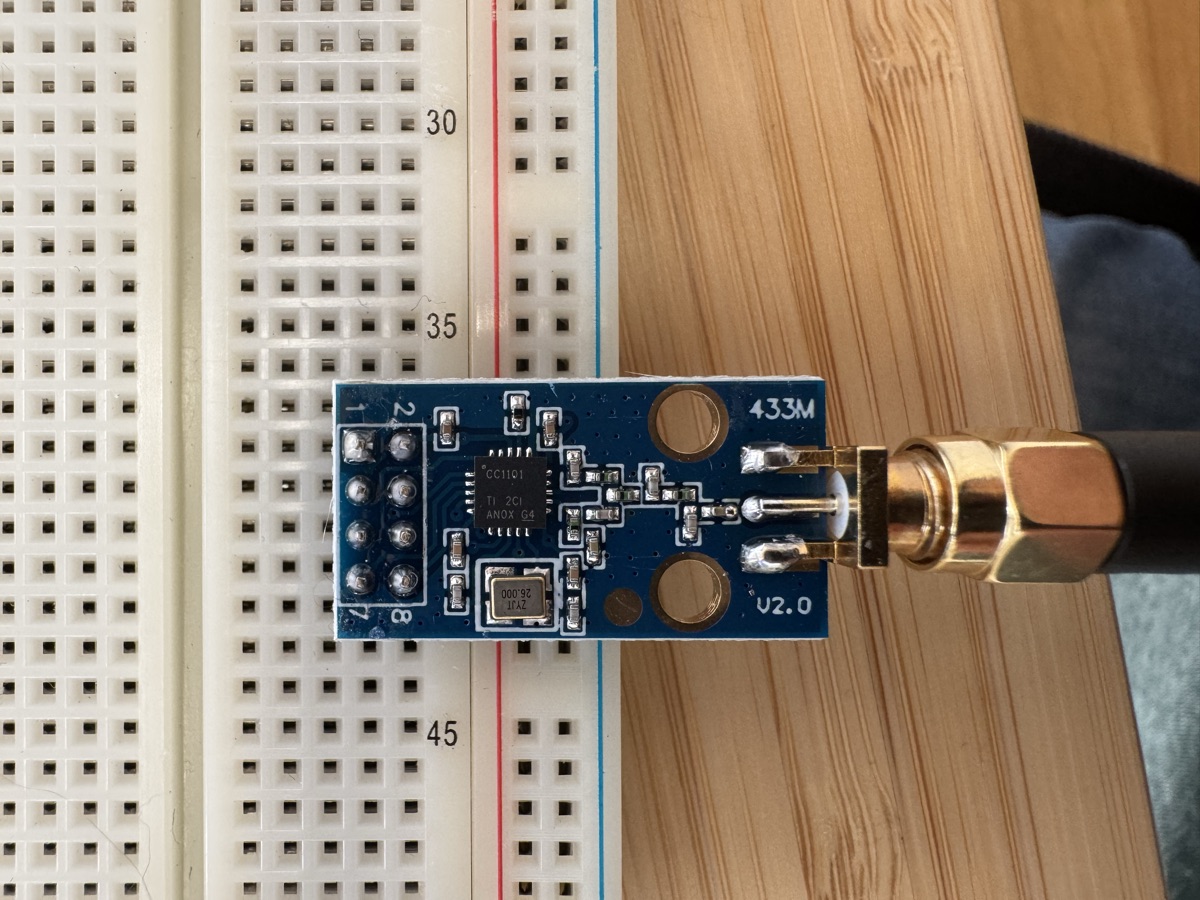
The first attempt was to sniff the remote’s signal with the CC1101 in receive mode. But we weren’t getting anything sensible. Hours trying different configurations, changing parameters, doubting the wiring. In the end, the problem was far more mundane: the remote had a dead battery. A two-euro CR2450 cost us half a day.
“we’re not receiving anything, is the CC1101 configured correctly? I tried pressing all the remote buttons and nothing comes through. check if the problem is in the code or in the module configuration”
With the remote working, the signal came through immediately. And by searching the model in FCC reports and on GitHub, we found an open source project that documented the A-OK protocol. From there, everything started making sense.
Decoding the protocol
The A-OK protocol uses 65-bit frames with OOK/ASK modulation, an AGC preamble, and no rolling code. Every time you press a button, the remote transmits 8 repetitions of the same frame for about 520 milliseconds.
“ok the signal is coming through but I can’t understand the structure. search the FCC reports for the PX140-D&C and find if someone has already documented the A-OK protocol. if there’s a repo with the decoding we’ll use that as a base”
The encoding is tri-state: each bit is represented by two pulses of different duration — 270 microseconds and 565 microseconds, alternating depending on whether the bit is 0 or 1. The frame contains a fixed remote ID, a channel address, the command, and a checksum. But getting to understand all of this was an iterative process of trial and dead ends.
First capturing the signals, then analyzing patterns with Python scripts — from the OOK vs FSK comparison (the breakthrough: RSSI -29dBm vs -77dBm, OOK confirmed), to timing capture via interrupts.
“the 8 pulses we’re capturing are always the same regardless of which button I press. I think we’re not reading the actual data, just the preamble. try changing the CC1101 data rate and capture the raw signal”
One detail that cost me a lot of time: the “8 pulses” I was initially capturing were just the AGC preamble, not the actual data. The CC1101 in demodulation mode at 4.8kbps was filtering out the data bits. It took several iterations of Python scripts — from version 10 to 16 — to figure that out.
Four hours
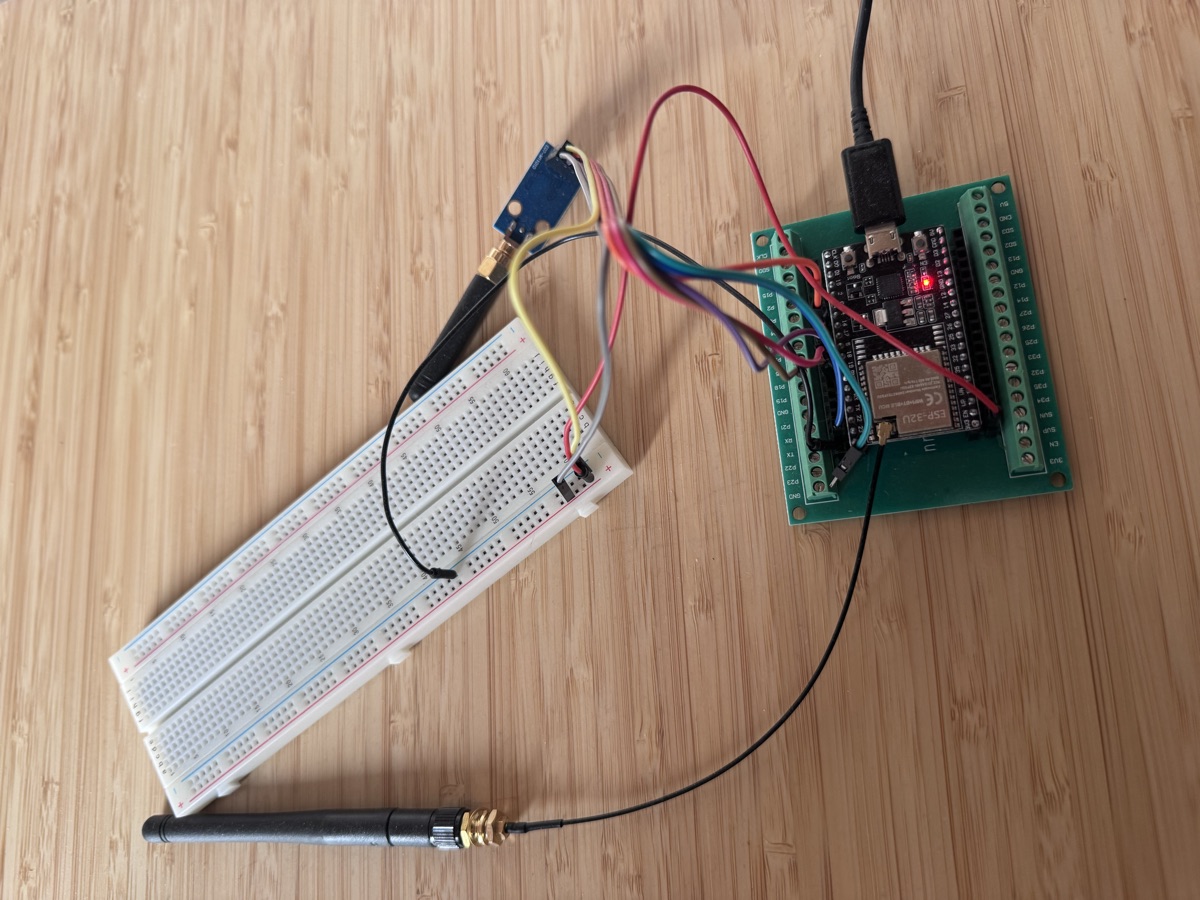
Once the RF protocol was working, Claude and I designed the wiring diagram — standard SPI between ESP32 and CC1101, seven wires total — and from there a four-hour session began where everything else was born.
“now that the protocol works I want the complete system: web server for manual control, weather API for wind and rain, and automatic protection. use hysteresis for the thresholds so it doesn’t go crazy with variable wind”
Web server for manual control. Connection to Open-Meteo weather APIs to monitor wind, gusts, and rain every five minutes. Automatic protection system with hysteresis — different thresholds for closing (40 km/h) and reopening (25 km/h), to prevent the slats from constantly opening and closing in variable wind.
DuckDNS for remote access, Telegram notifications, OTA updates so I don’t have to disassemble the ESP32 every time I modify the firmware. 35 unit tests — not out of discipline, but out of necessity: the protection system has too many edge cases to be tested only on the real pergola.
“add DuckDNS for the dynamic IP, Telegram notifications when the system closes or opens, and OTA updates. and write the tests: the hysteresis has too many edge cases, I can’t test everything on the real pergola”
Four hours. From hardware wired on a breadboard to a complete system with web UI, automatic protection, remote access, and notifications.
When nothing works
But it wasn’t all smooth sailing. Debugging was the most educational and most frustrating part.
“the web server always responds but the commands to the pergola work one time out of three. stop is the worst. I think there’s a timing problem, the WiFi interrupts are corrupting the RF signal”
The central problem was subtle: OOK signals require microsecond-precise timing — 270us and 565us per bit. But when the web server handles an HTTP request, WiFi/TCP interrupts disrupt the RF transmission and corrupt the signal. Commands would arrive, but sometimes yes and sometimes no. Stop worked one time out of three. The system seemed responsive — the web server always answered — but the commands to the pergola were getting lost in the noise.
The solution was to move all RF commands to a queue and execute them in the main loop, where there are no network interrupts. A simple pattern, but getting there required truly understanding how multitasking works on a single-core microcontroller.
“move all RF transmission to the main loop with a queue. HTTP handlers must not touch the radio directly. and Telegram too — that HTTPS POST blocks everything for seconds”
Telegram was blocking too: an HTTPS POST to Telegram’s servers took 2-5 seconds, during which the web server was unresponsive. Same pattern, same solution: async buffer.
The AI in the room
Every commit in this project carries the signature Co-Authored-By: Claude Opus 4.6. Not because the AI wrote the code and I copied it, but because I had the problem, the physical pergola, the domain understanding — and Claude had the technical patterns, the libraries, the knowledge of RF protocols and embedded architecture. Twenty years of software experience, but I had never touched an ESP32 before this project. AI bridged the gap between “I can code” and “I can code this”.
The hard work remained mine: understanding why stop wasn’t working, isolating the blocking I/O problem, designing the protection system architecture. AI accelerated everything else — the boilerplate, PlatformIO syntax, Open-Meteo APIs, CC1101 configuration, the wiring diagram.
AI is giving us opportunities we wouldn’t have had before. I’m not just talking about speed — I’m talking about accessibility. Domains that would have required weeks of study are now reachable in hours. It’s a new way to frame problems, to reason about feasibility, to explore unknown territory with a safety net.
But every time I close a session with Claude, I’m left with an ambivalent feeling. Yes, I built something that works. Yes, I learned. But did I learn as much as I would have without the AI? Did I truly understand the OOK protocol timing, or did I just verify that the generated code worked?
The project was satisfying precisely because it required real understanding — not just prompts. But the line is thinning. And I wonder: in a world where AI can bridge any knowledge gap in real time, how important is it to maintain the ability to focus and think deeply?